

Forwarding your own emails
Forward an email from your sign-in address to a property's address and Propero answers it, in Chat and by email back to you. Covers the Accept forwarded emails switch and Hide My Email accounts.
The property address isn't only for tenants. Forward any email to it yourself, from the address you signed in to Propero with, and it becomes a conversation in the Chat tab. A strata notice, a council rates bill, a quote from a tradie, a reply from an agent: forward it and ask Propero what to do with it.
How it works
- In your own mail app, forward the email to the property's address (
12smithst@inbox.propero.app). - Send it from the email address you use to sign in to Propero. That's how Propero knows it's you.
- A moment later you get a push: Got your email, with the subject. Tap it, or open Chat, and the email is there as a You forwarded bubble with the original sender underneath.
- Propero reads it and answers you two ways: in the chat, and by email back to the address you sent from. The emailed answer comes from the property address and ends "Sent with Propero. You can reply to this email.", so you can keep the thread going from your inbox or from Chat, whichever suits.
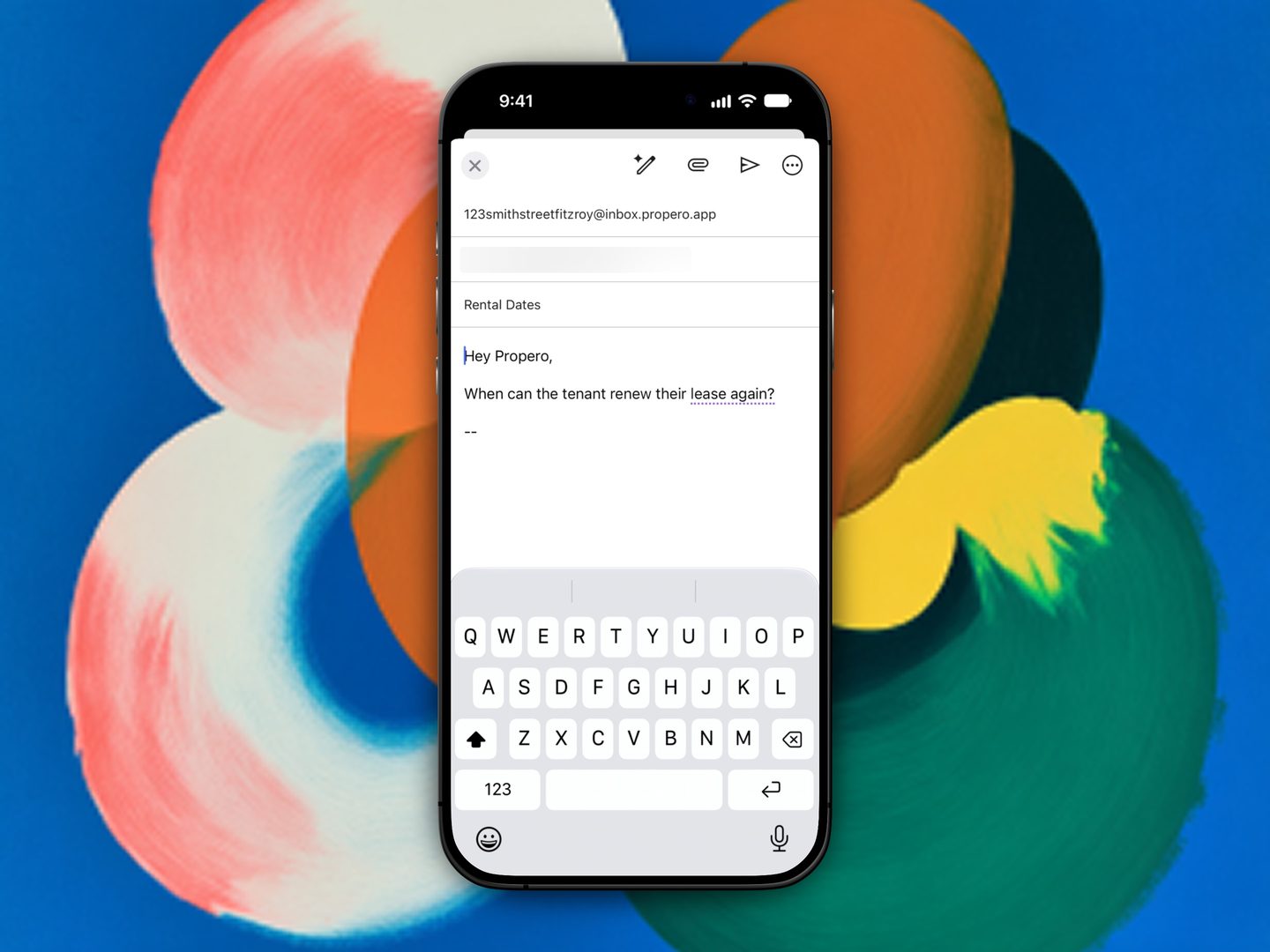
Ask it whatever you'd ask about the property. Here, straight to the property address from the landlord's own mail app.
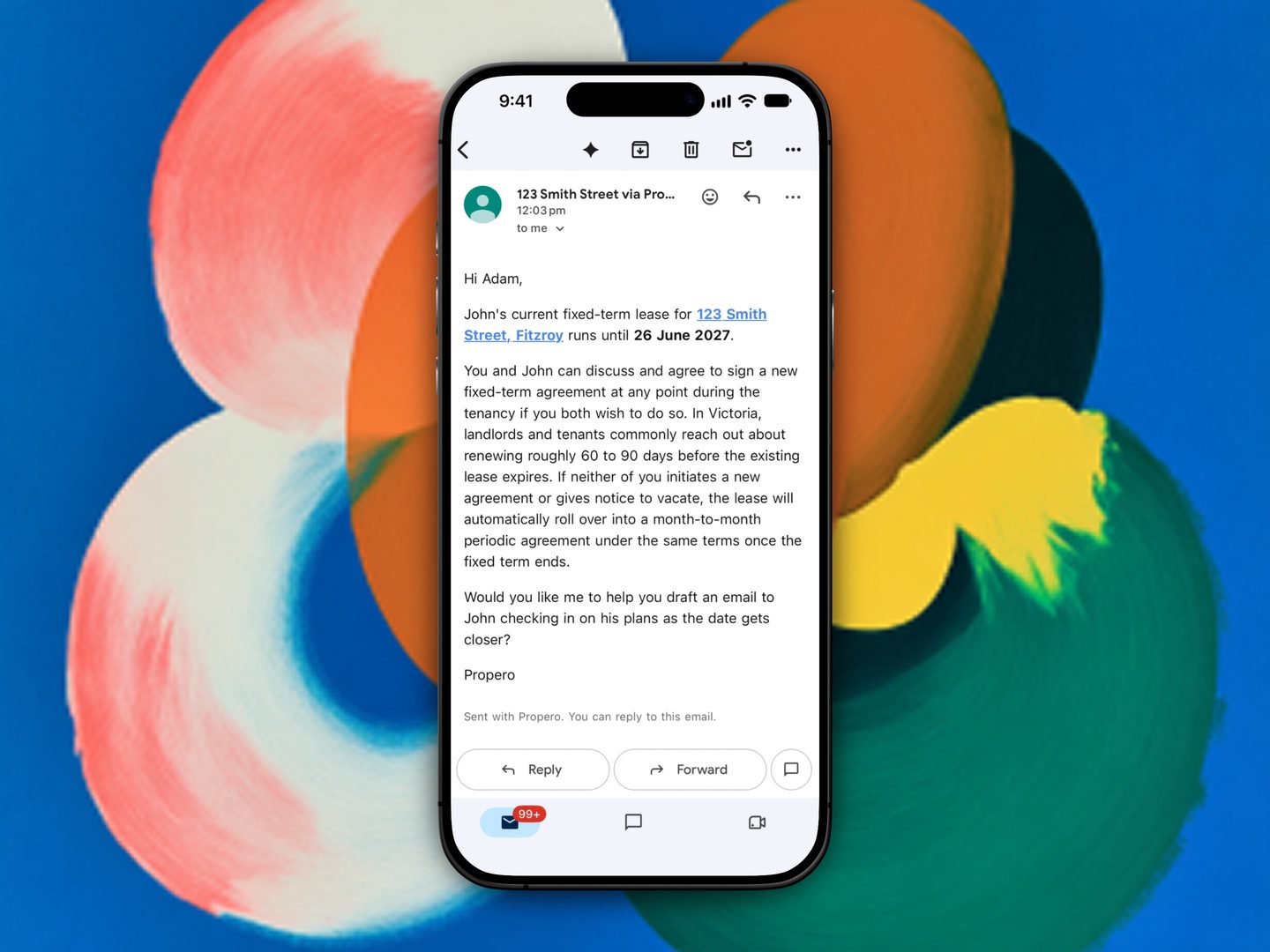
The answer comes back to the same inbox, and to Chat.
The conversation is titled from the email's subject and filed under that property, so it shows in the history drawer like any other chat. The only person Propero emails here is you: a forwarded email never reaches your tenant, whoever the original sender was.
Each forward counts as one message against your daily Chat allowance.
Attachments
Attachments aren't carried into the chat yet. If the forwarded email had any, the bubble says so: "2 attachments weren't included. Propero read the text only."
Turning forwarding off
Open Account > Email settings and switch off Accept forwarded emails. It's on by default. When it's off, emails you forward are dropped quietly; tenant mail to the same address is unaffected.
Signed in with Apple and Hide My Email?
If you chose Hide My Email when you created your account with Apple, your sign-in address is a private relay address you never send from, so a forwarded email can't be matched to you. Email settings shows a note for this case, "Signed in with Hide My Email? Contact support and we'll set up the address you send from.", with a Contact Support row underneath. Tell us the address you'd like recognised and we'll set it up.
On a Free account
The forwarded email is still saved to Chat, but Propero doesn't read it, and nothing is emailed back. You'll see a note asking you to upgrade to Pro to have it answered.
Related guides
Tenant emails in Chat
When a tenant emails your property address, Propero reads it, drafts a reply, and hands you the decision in Chat. Repairs are logged as a maintenance request on arrival, and the reply card is where you edit, send, or close.
Rent & payments
Rent is set during tenant setup and tracked on Payment Overview. Covers the schedule, recording payments, arrears, receipts, and ledgers.