

Preparing your device
Grant camera and microphone access, record at least five seconds per room, narrate as you pan, and watch for the too dark and privacy warnings.
Before starting a condition report, make sure your iPhone is ready for video capture in each room.
Camera and microphone access
Propero uses your back camera and microphone to record each room. Grant both when prompted. If access is denied, you'll see a Camera Error screen instead of the capture view until you enable them in Settings.
Tapping a room asks for camera access, then microphone access. Once both are granted, the capture screen opens ready to record.
Walk and talk
Propero hears you as well as sees you. Your audio is recorded alongside the video and analysed with it, so walk the room and talk like you're having a conversation: Propero takes in what you show on camera and what you say about it, which is how it knows the things you think matter. No script needed. It's also listening for damage-related words while you talk (crack, leak, mould, and similar), and prompts you on screen to get closer so the thing you just flagged is captured properly.
Video capture basics
Capture Progress is where you work through the property. Each room is a row you tap to record, and the counter at the top tracks how many are done.
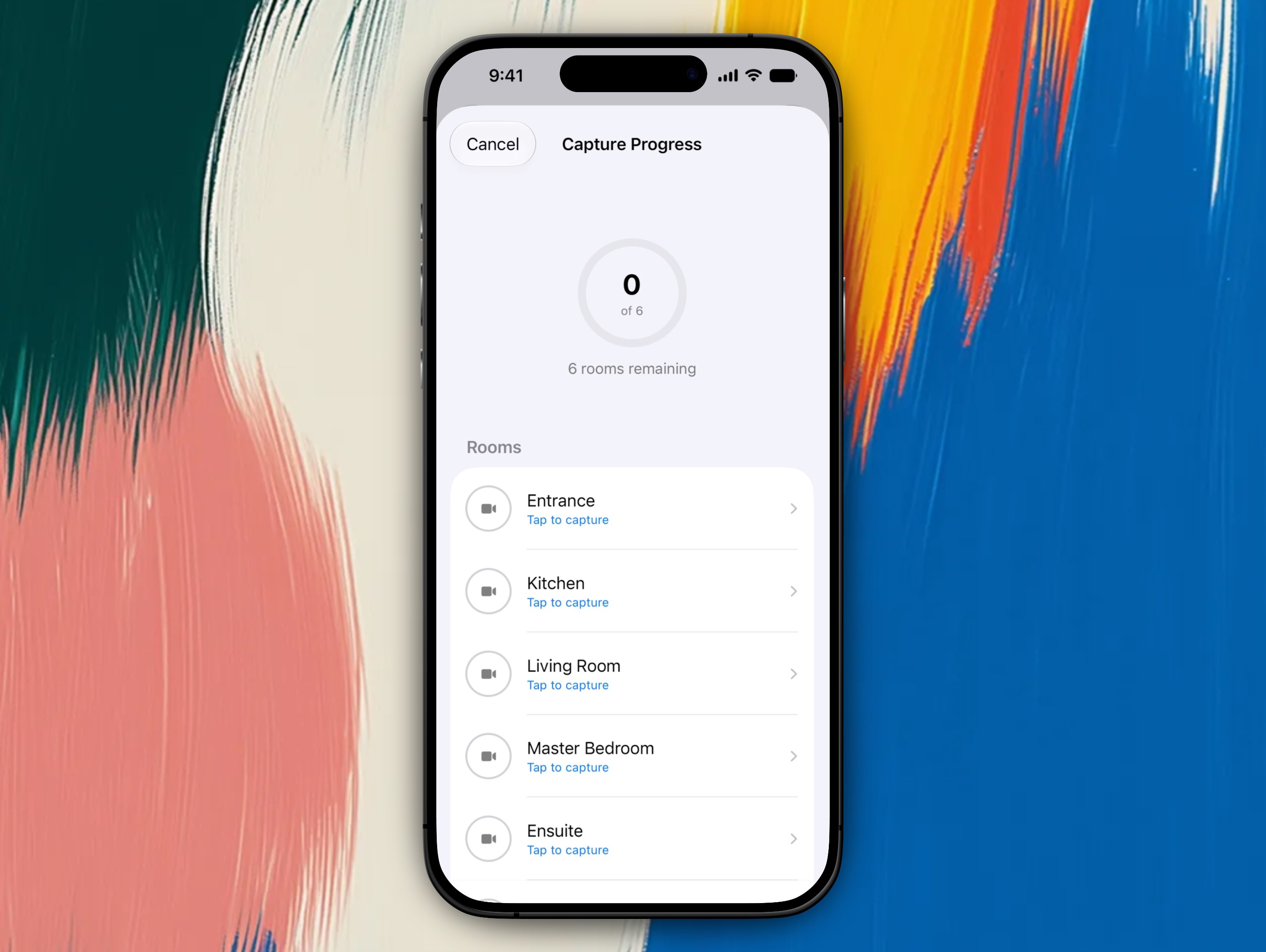
- One video walkthrough per room, not individual photos during capture
- Minimum 5 seconds of recording per room
- Pan slowly so walls, ceiling, and floor are all visible
- Walk and talk. Propero hears you as well as sees you, so say what you're looking at
A rotating prompt strip guides you through each room, refreshing every few seconds. Every room shows the basics:
- "Pan slowly around the room"
- "Show the walls and ceiling"
- "Capture the floor condition"
Plus prompts specific to the room type. A kitchen, for example, also prompts you to show benchtops and splashback, open and close cabinet doors, and check under the sink for leaks. A bathroom prompts you to check grout lines, the shower screen, and for mould in corners.
If you try to stop before 5 seconds, Propero shows Record at least 5 seconds and won't let you finish the room yet. Once you do stop, a confirmation asks Done Recording? with a summary of how long you recorded, and you can choose Save & Continue or Keep Recording.
Lighting and privacy warnings
Propero checks video quality in real time and warns you on screen:
| Condition | On-screen message |
|---|---|
| Too dark | "Too dark - turn on lights" |
| Too bright | "Too bright - avoid direct sunlight" |
| A person is in frame | "Person detected - ensure privacy" |
Propero doesn't warn about camera shake or motion blur. Some movement is expected during a walkthrough, so only lighting and privacy are checked live.
Rooms
Rooms are pre-filled from your property's bedroom, bathroom, parking, and outdoor details. Before you start capturing, you can:
- Add a room from a preset list or with a custom name and type
- Rename or re-type any room
- Reorder rooms by dragging
- Delete a room by swiping
Smoke detectors
For an Ingoing Report, every room flagged as having a smoke detector must be marked Tested before you can start recording. Propero blocks the start button and shows All smoke detectors must be tested before starting until this is done. There's also an optional Battery toggle to record whether you replaced the battery, but it doesn't block you from starting.
You can adjust which rooms have a smoke detector from the setup screen if the pre-filled list isn't right.
Uploading and processing
Each room's video starts uploading in the background as soon as you finish it, so you can keep moving through the rest of the property without waiting. When you tap Submit Report at the end, Propero uploads anything not already sent and kicks off AI analysis, ideally over Wi-Fi.
You'll get a push notification once everything's uploaded and analysis has started, and another when the report is ready to review.
If you back out mid-capture, Propero asks whether to Save Progress or discard your work. Saved drafts appear under In Progress on the Property Health screen, so you can resume exactly where you left off.
Related guides
Overview
Ingoing, routine, and outgoing reports compared, the draft to approved lifecycle, and how Propero's AI reads both your room videos and what you say while filming.
Ingoing condition report
Record the baseline before your tenant moves in: mark every smoke detector tested, film each room, then review and approve to lock the report.