

Adding a tenant
Tenant and lease details are captured in one flow. Add co-tenants up front and pick a main contact, all before you submit.
A tenant and a lease are always created together, as one flow: there's no way to add a lease without naming a tenant, and no way to add a tenant without a lease.
During property setup
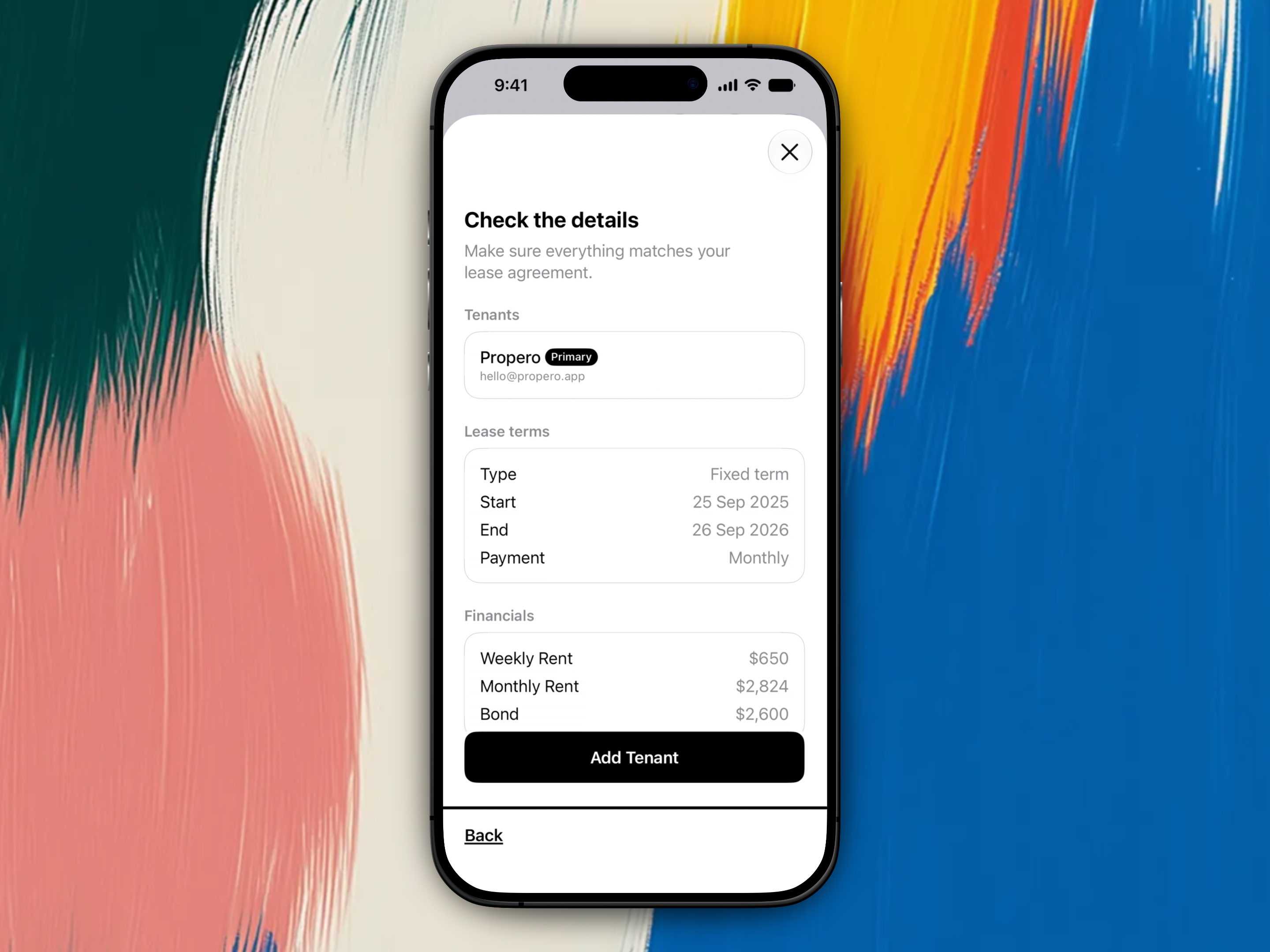
Tenant and lease setup runs as part of the property wizard when you choose I have a tenant or My tenant moves in soon. See Add your first property for the full step-by-step walkthrough, screenshots included.
In short, you'll work through:
- Tenant info: full name, email, and optional phone, for each tenant on the lease
- Main contact (only shown if you add more than one tenant): who's the lead
- Lease terms: fixed or periodic, start date, a term picker (6 months / 12 months / Other) that sets the end date for fixed leases, payment frequency
- Financials: weekly rent, bond, and then either Paid up to and including (a tenancy that started before today) or Advance rent paid (one starting today or later). See Backdated tenancies
- Review, then tap Add Tenant to confirm
Add a tenant to a property that isn't leased yet
For a property that's never had a tenant, Propero puts an Add Tenant entry point directly on the property hub:
- the Tenancy card's Add Tenant row
- the Add your tenant row on the attention card, if the hub has one pinned at the top
Both open the same setup flow as during property setup.
Once a lease has run its course and ended, the Tenancy card goes back to showing Vacant with no add-tenant row. Instead, open Lease Overview and tap Start New Lease, see Renewals & ending a tenancy.
If the property currently has an active lease, there's no add-tenant entry point at all. Bringing on a different tenant means ending the current tenancy first.
Adding more than one tenant
To put more than one person on the same lease, add them all at the tenant info step, before you submit: tap Add another tenant for each additional co-tenant. You can't add someone to a lease that's already active later, everyone named on a lease has to be entered up front. Every named tenant shows up on Lease Overview, and receives any formal notice generated for that tenancy.
Main contact
If you name more than one tenant, a dedicated step asks Who's the main contact? Pick whichever tenant should be the lead: they become the default recipient for rent receipts, condition reports, and anything else you send from within Propero. With a single tenant, that step is skipped entirely, they're the lead by default.
The lead tenant is flagged wherever tenants are listed, though the badge text differs by screen: it reads Primary on the setup review step and Lead on Lease Overview. Both refer to the same person.
Editing a tenant's details
A tenant's name, email, and mobile can be changed later from Lease Overview, while their lease is current. See Editing tenant contact details.
Related guides
- Add your first property for the full setup walkthrough
- Starting a tenancy resources (state lease, bond, and condition report forms)
- Leases & tenancy agreements
- Editing tenant contact details
- Setting up rent
Tenants & leases
A tenant and lease are always set up together, one active lease per property. Tenants don't get Propero accounts, so there's no tenant login or app.
Editing tenant contact details
Tap a tenant on Lease Overview to open Tenant Details and change their name, email, or mobile. Contact details are editable on the current lease only.