

Renewals & ending a tenancy
Record Tenant Notice or End Tenancy on Lease Overview, how each affects the rent schedule, and when a re-letting ban keeps advertising locked.
End-of-tenancy actions live on Lease Overview (hub > Lease > Options), and only appear while you have an active lease with nothing already declared on it. Two declarations are available, one at a time.
Record Tenant Notice
Use this when the tenant gave notice to leave.
Enter:
- Notice date
- Moving-out date (defaults to the lease's current end date)
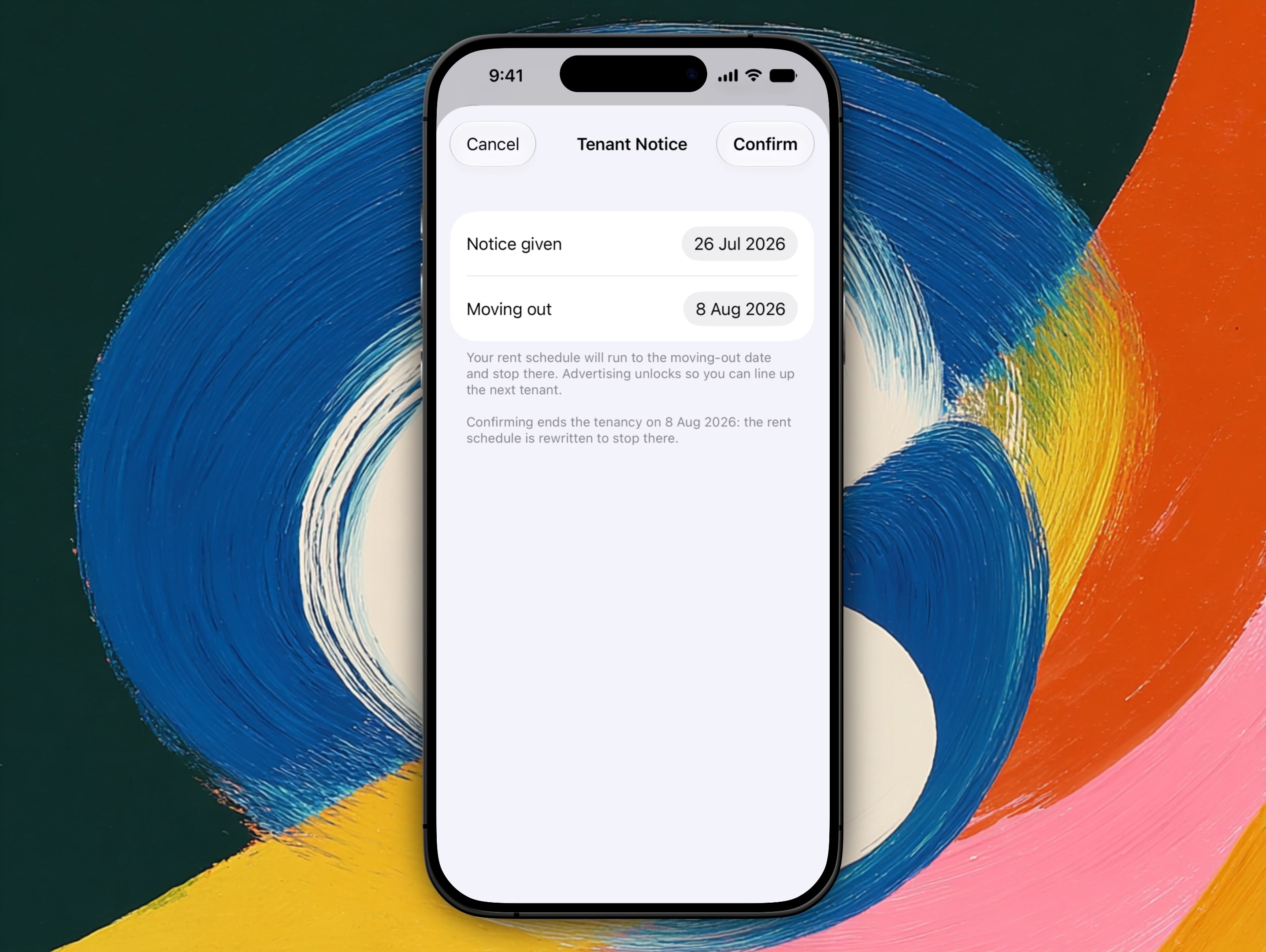
The sheet spells out what confirming does before you commit to it.
Effect on rent
| Lease type | Rent schedule |
|---|---|
| Fixed | Runs to the moving-out date you enter, then stops. Propero rewrites the payment schedule the moment you confirm. |
| Periodic | Not changed by the notice alone. Rent keeps running until the tenancy actually ends. |
After recording notice, advertising unlocks so you can line up the next tenant, and a card on Lease Overview picks up an Estimate Costs shortcut into the Break Lease Guide.
End Tenancy
Use this when you're ending the tenancy.
Enter:
- Tenancy end date
- Reason: Selling with vacant possession, Moving in (me or family), Major repairs or renovation, Demolition, No longer renting it out, Tenant breach, End of fixed term, or Other
Advertising unlocks from the end date in most cases. Five of those reasons, sale, owner occupation, renovation, demolition, and no-longer-renting-it-out, can trigger a statutory re-letting ban that keeps advertising locked for a period after the tenancy ends, on top of your own declaration. Tenant breach, end of fixed term, and Other never do.
Propero works out whether a ban applies from the property's state automatically, you don't need to look anything up. Most bans run six months, though the exact length depends on the state and the reason. NSW, VIC, QLD, and SA currently have re-letting ban rules in Propero's registry; WA, TAS, ACT, and NT don't impose any.
Once you confirm an End Tenancy declaration, the card on Lease Overview picks up a Prepare Notice shortcut into the Termination Notice generator.
Withdraw a declaration
Either declaration can be withdrawn from its card on Lease Overview. Withdrawing restores the lease's previous end date and cancels any unpaid advertising order tied to it.
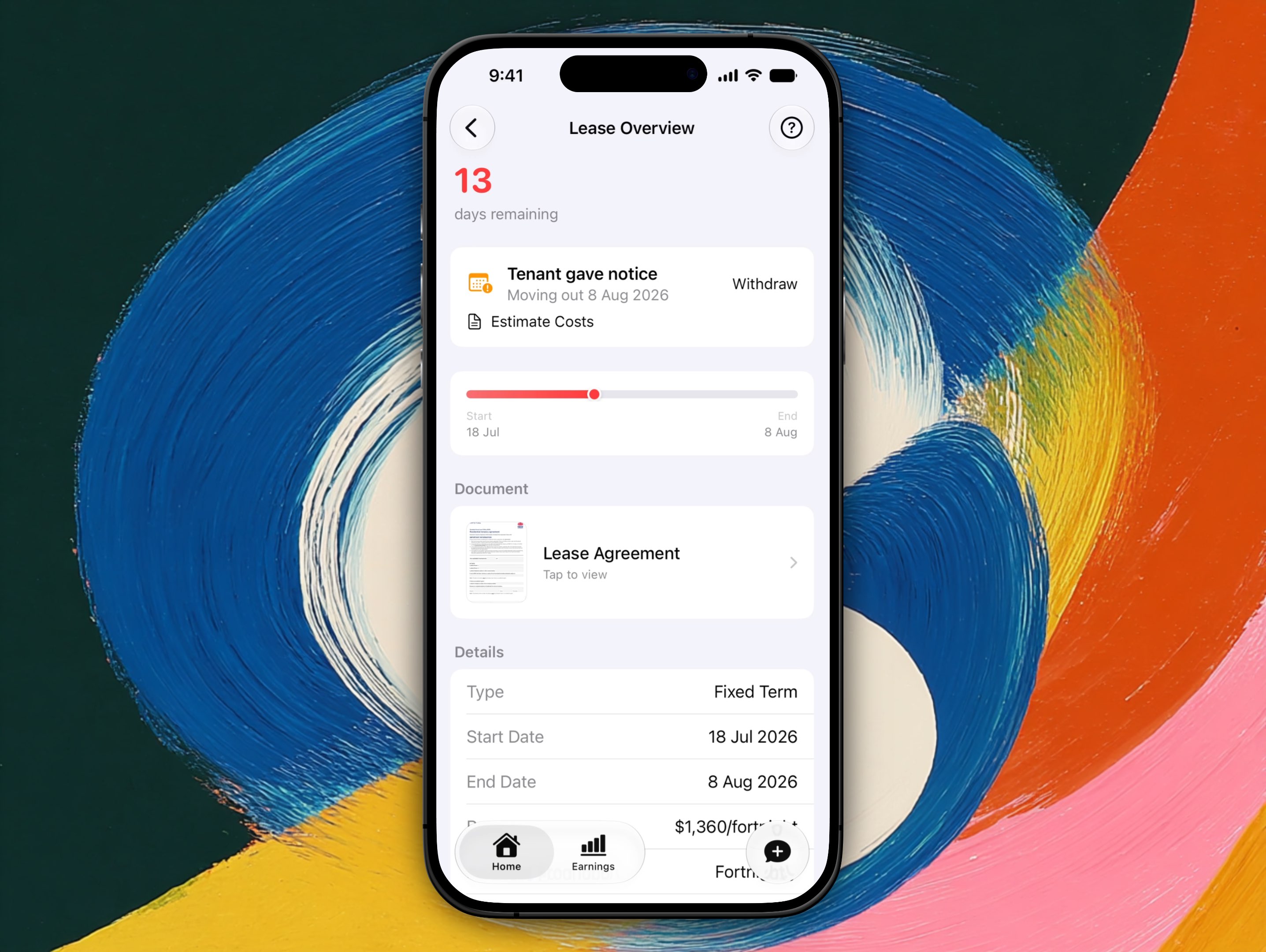
The declaration card sits at the top of Lease Overview, carrying Withdraw alongside the countdown to the new end date.
Start a new lease
Once a lease has ended, Lease Overview shows a read-only summary and a Start New Lease button. Tapping it runs the same tenant and lease setup flow as adding a tenant for the first time, so you're creating a fresh tenancy, not editing the old one. See Adding a tenant.
Advertising
When a property is vacant, or its lease is ending within 30 days, Advertise property becomes available (unless a re-letting ban is still in effect). See Advertising your property.
Returning the bond
After the tenant vacates, lodge the bond refund or claim with your state bond authority. Propero does not process bond returns in the app, but an Outgoing condition report supports your claim. See Returning the bond for state portals, deadlines, and dispute paths.
Related guides
- Returning the bond
- Outgoing condition report
- Legal tools (Break Lease Guide, Termination Notice)
- Setting up rent
Leases & tenancy agreements
Lease Overview holds the lease's term, rent, and status, everyone named on the lease, and your signed agreement as a PDF under 5 MB. Changing terms means a new lease.
Returning the bond
Release or claim a rental bond through your state bond authority after move-out. State portals, dispute paths, and how Propero condition reports support your claim.