

Communicating with tenants
Every email to a tenant goes out through the Email tenant sheet, from your property's address, after you tap send. Their replies come back to Chat.
Your tenants don't have Propero accounts, so there's no tenant login or tenant app. Everything runs through the property's own email address, Propero Mail.
One address, both directions. Give your tenant the property's @inbox.propero.app address. When they write to it, Propero reads the email and drafts a reply for you in the Chat tab. When you need to reach them first, whatever you're sending, Propero writes the email and hands it to you in the Email tenant sheet. Either way, it goes from the property address once you tap send.
Propero composes. You send. Nothing reaches a tenant that you haven't read.
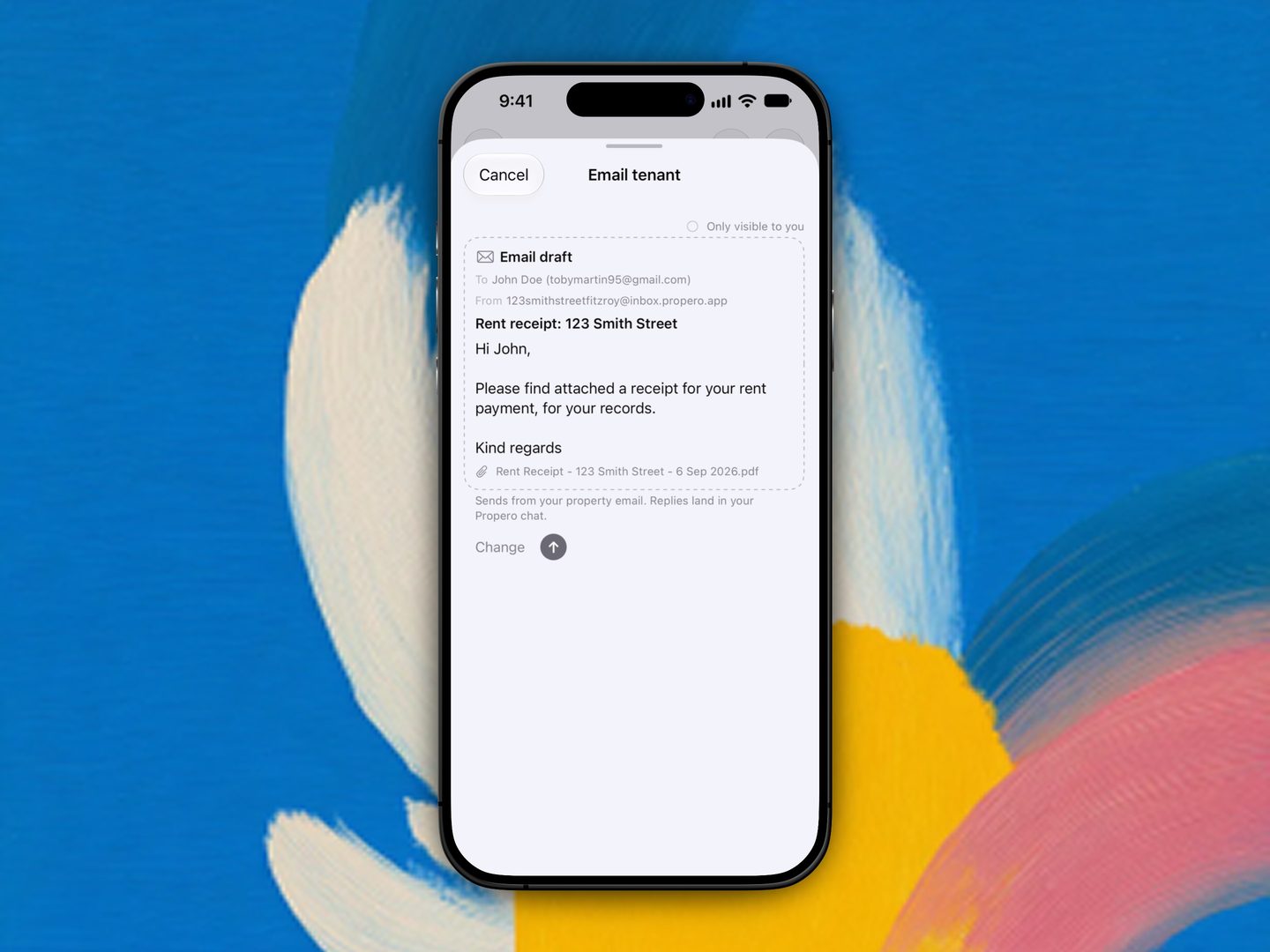
The Email tenant sheet
Anything a screen sends a tenant (a receipt, a report, a maintenance update) opens the same sheet, so it works the same way every time:
- The Email draft card shows To the tenant with the address it's going to, and From the property address
- A subject and body, written for whatever you're sending, editable in place
- Any attachment as a row underneath, for example "Rent Receipt - 123 Smith Street - 6 Sep 2026.pdf"
- Only visible to you at the top, until it's sent
- Change puts the cursor in the draft. The send arrow sends it
- A footer that says where it's going: "Sends from your property email. Replies land in your Propero chat."
Cancel closes the sheet without sending.
What you can send
| From | What it sends |
|---|---|
| A tenant email in Chat | Your reply to the email they sent. See Tenant emails in Chat |
| Send Receipt to Tenant, after recording a rent payment | A rent receipt PDF, generated by Propero's servers, attached to a written email to the lead tenant |
| Send to Tenant, on a condition report | The report PDF with wording to match. Share is separate: that's the iOS share sheet, for sending the file to anyone else |
| Asking Propero Chat | Tell Chat what you want your tenant to know and it writes the email, then hands it to you as a card. Tap the card to read the whole letter and send it. This one isn't editable in the sheet: ask Chat to change the wording instead. See Using Propero Chat |
| A maintenance request's quick actions | Email sends an update on the issue, or the scheduled appointment time if one's booked. Call dials the tenant directly, on their phone, not through Propero |
After you book a maintenance appointment, Propero also prompts "Let your tenant know the time?" with a one-tap Email tenant option.
The property hub's Tenancy card and the tenant rows on Lease Overview no longer carry Email and Message buttons. Tap a tenant on Lease Overview to see or edit their contact details instead. See Editing tenant contact details.
When it doesn't go from the property address
Sending from the property address needs three things: a Propero Mail address on that property, an active Propero Pro subscription, and an email address on the tenant's record.
- Missing the address or Pro, Propero hands the email to Apple's Mail app instead, pre-filled and addressed, the way every tenant email went before. It then leaves from your own inbox, and a reply comes back there rather than to Chat. If Mail isn't set up on the device you'll see "Email isn't set up on this device".
- Missing the tenant's email, nothing can be sent either way: you'll see "No tenant email on file". Add it from Lease Overview, see Editing tenant contact details.
Text messages are no longer part of this. There's no SMS fallback, so a tenant with a phone number but no email address can't be emailed from Propero.
What your tenant sees
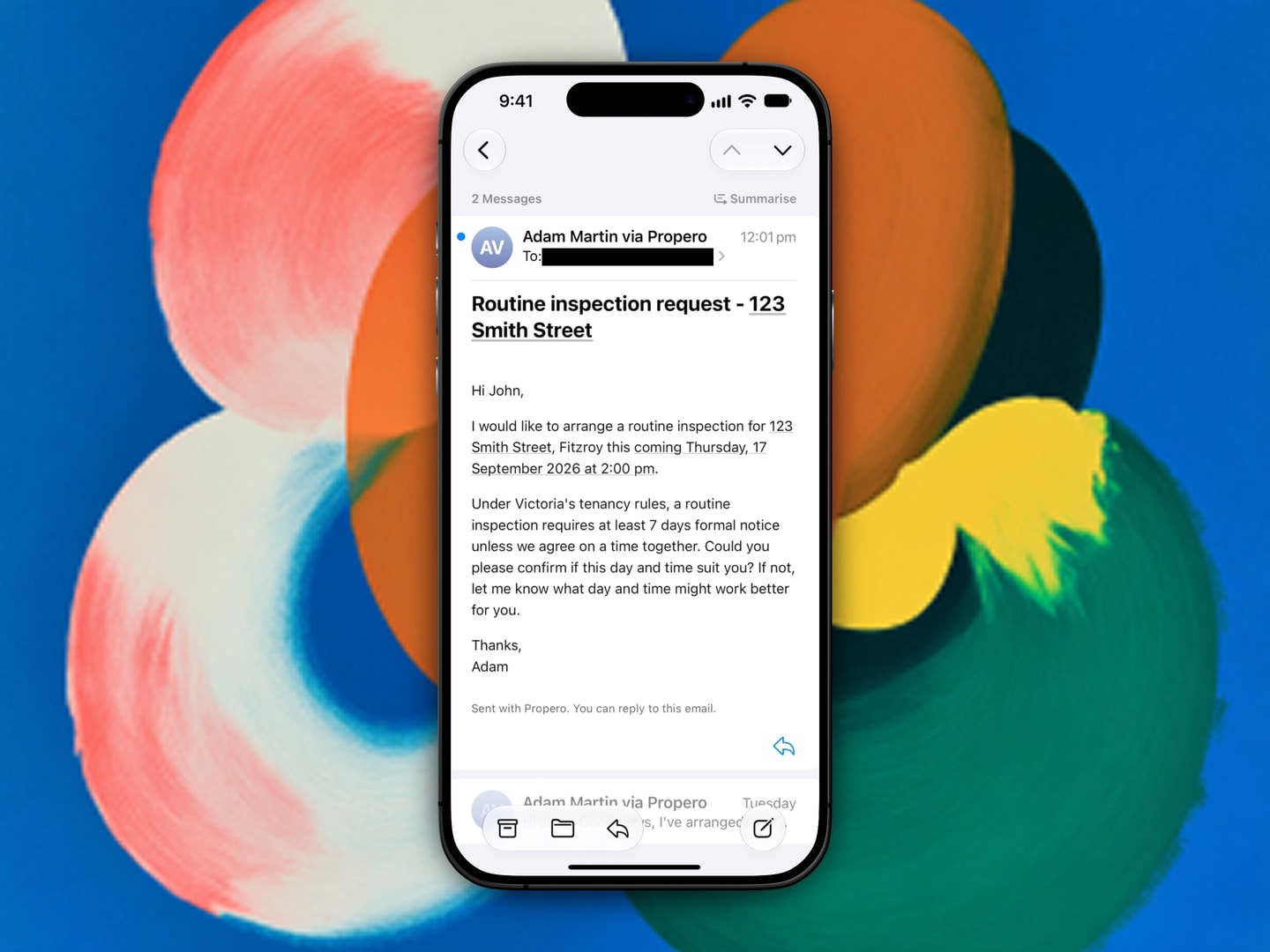
The email arrives from the property address, showing your name and via Propero as the sender, with a line at the bottom reading "Sent with Propero. You can reply to this email."
If they do reply, it comes back to the Chat tab as a new tenant email, with a draft reply ready. It doesn't go to your personal inbox. See Tenant emails in Chat.
Both directions stay in one thread. When you reply to something your tenant sent, it lands under their original subject as a Re: in the same conversation in their mail app, not as a fresh email.
Related guides
Starting a tenancy resources
State and territory guides for the four essentials when privately renting: tenant guide, lease agreement, bond lodgement, and condition report.
Legal tools
Estimate a break lease fee or generate a state termination notice PDF from Lease Overview. Both cover NSW, Victoria, and Queensland only.