

Leases & tenancy agreements
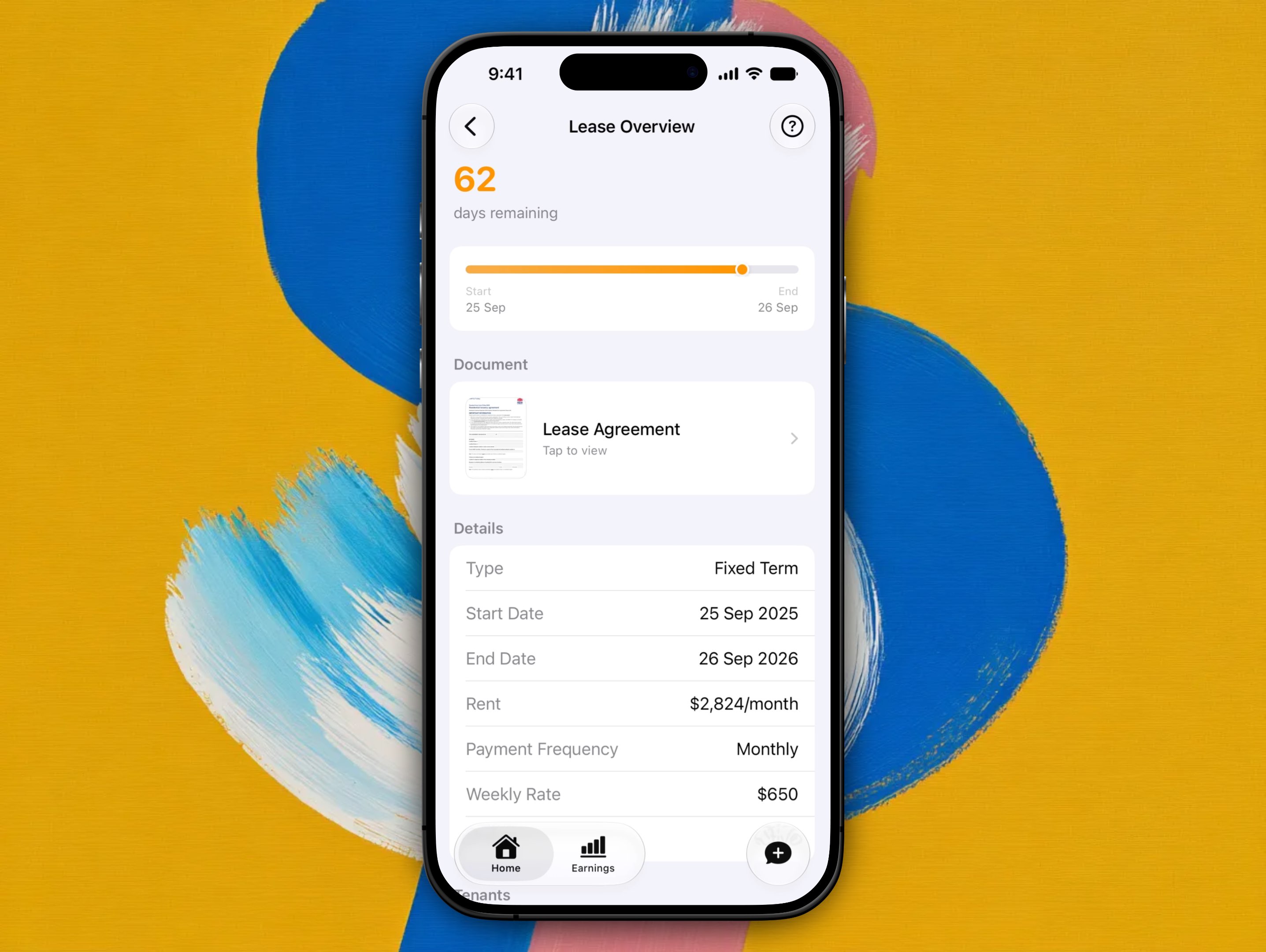
Lease Overview holds the lease's term, rent, and status, everyone named on the lease, and your signed agreement as a PDF under 5 MB. Changing terms means a new lease.
Open Lease Overview from the property hub's Lease pulse card.
Lease details
The Details card shows three facts, each with a line of context:
| Fact | Example | What the context line says |
|---|---|---|
| Term | Fixed term | "26 Jun 2026 to 26 Jun 2027", or "From 1 Feb 2025, no fixed end" for a periodic lease |
| Rent | $675/week | "Paid weekly", or "Paid fortnightly, $675 a week" when the frequency isn't weekly |
| Status | Active | "Current lease", "Starts 1 Oct 2026" for a pending lease, "Ends 26 Jun 2027", "Ending soon", "Past its end date", or "Ended early" |
Status is one of Pending (starts in the future), Active, Expired, or Terminated, shown with a coloured dot. A Pending lease turns Active by itself on its start date. There's nothing to activate manually. Once a fixed term has passed its end date, the header at the top of the screen reads Ended with the date.
The term, the rent, and the lease type were all set when the tenant and lease were created, and can't be edited here. See Change lease terms below.
Tenants on the lease
Everyone named on the lease is listed in the Tenants card: initials, name, and one line of contact (their email, or their phone if there's no email). The lead tenant carries a small Lead chip.
On the current lease, tap a tenant to open Tenant Details and edit their name, email, or mobile. See Editing tenant contact details. On an ended lease the rows are read-only history.
The Email and Message buttons that used to sit on each row are gone. To contact a tenant, give them the property's email address, or use the receipt, report, and maintenance hand-offs. See Communicating with tenants.
Upload your signed lease
Attach the signed agreement as a PDF only (photos aren't accepted, and the file must be under 5MB):
- Open Lease Overview
- Scroll to Options
- Choose Upload Lease Agreement, or Replace Lease Agreement if one's already attached
Upload only works while there's an active lease. Once it's up, tap the document any time to preview it, it stays attached to that tenancy for your records.
Change lease terms
There's no mid-lease editor. To change rent, frequency, dates, the lease type, or who's on the lease:
- End the current tenancy (see Renewals & ending a tenancy)
- Tap Start New Lease on Lease Overview
Starting a new lease runs the same setup flow as adding a tenant for the first time: a fresh tenant record and lease with the new terms, not an edit of the old one.
Help from the screen
Tap ? in the top right of Lease Overview to open this page inside the app.
Related guides
Editing tenant contact details
Tap a tenant on Lease Overview to open Tenant Details and change their name, email, or mobile. Contact details are editable on the current lease only.
Renewals & ending a tenancy
Record Tenant Notice or End Tenancy on Lease Overview, how each affects the rent schedule, and when a re-letting ban keeps advertising locked.