

Statements & receipts
Rent receipts with a signature line, the rental ledger, the tax summary, and the shareable payment overview card. None of them need Propero Pro.
Propero produces three separate documents, plus a lightweight image you can share from Payment Overview. None require Propero Pro.
Payment overview card
Tap the share icon in the top right of Payment Overview to export the heatmap as an image, ready to send or save.
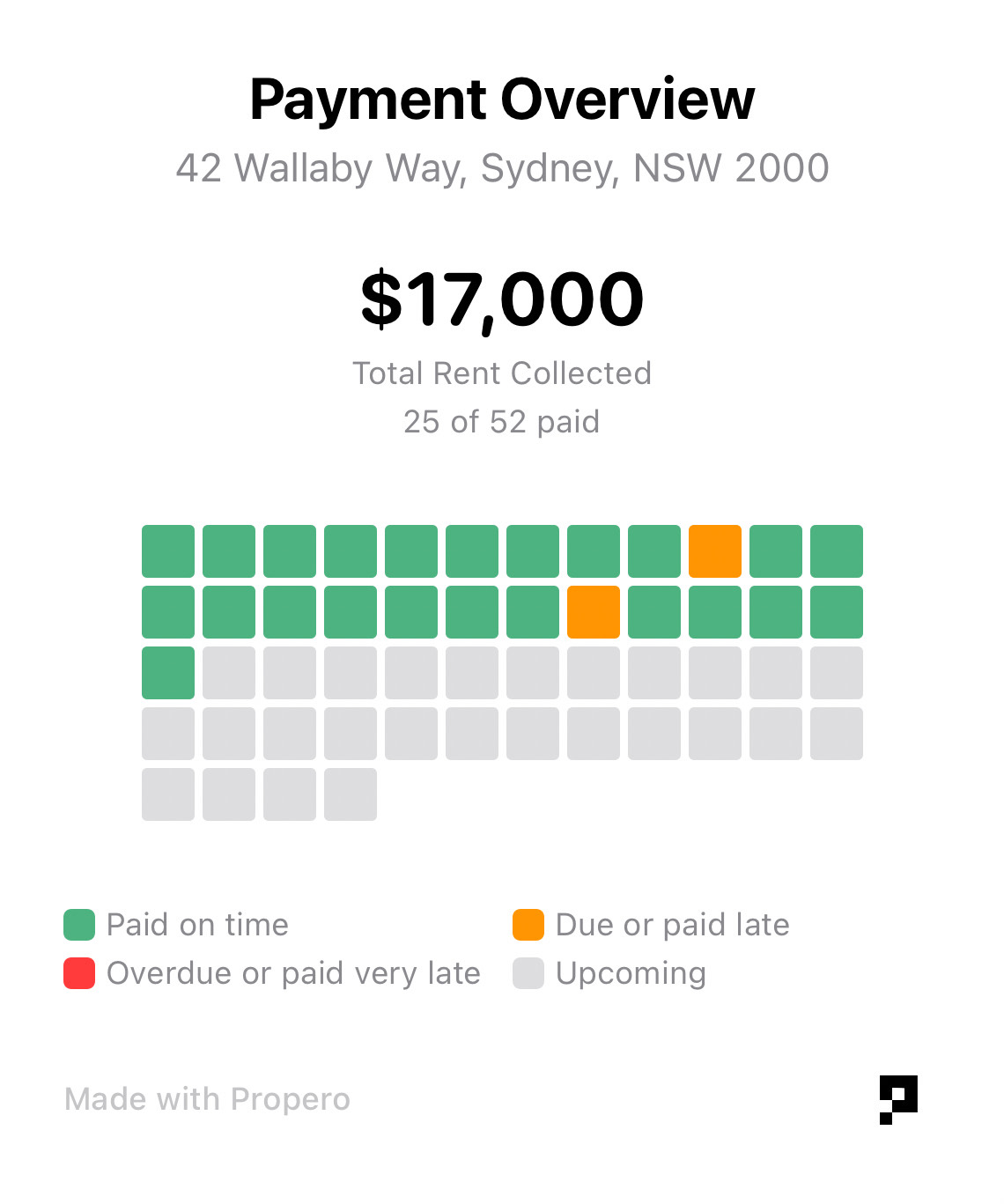
It carries the property address, total rent collected, the paid-versus-scheduled count, and the same colour-coded heatmap and legend you see in the app. It's a snapshot, not a statement: there's no per-payment detail, no running balance, and no signature line, so it isn't a substitute for the receipt or ledger below.
Rent receipt
Generated by Propero's servers for an individual paid payment, then downloaded to your phone. Once a period shows Paid, its detail view swaps the Record Payment button for Send Receipt to Tenant. Generating takes a few seconds and needs a connection.
It's pre-addressed to the lease's main contact tenant, marked Primary on the lease.
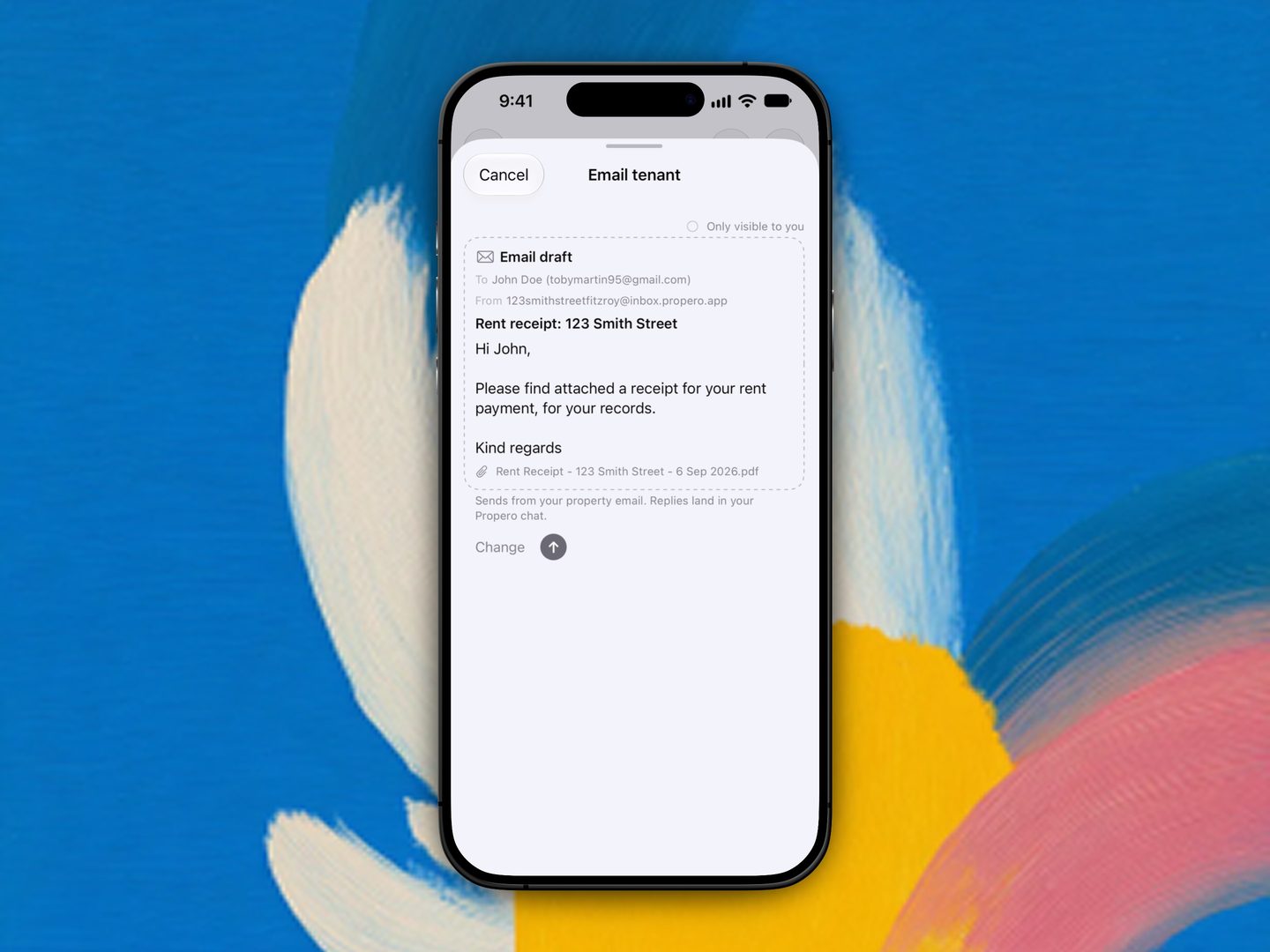
Tapping a paid period, then Send Receipt to Tenant, opens the Email tenant sheet with the receipt PDF attached, ready to send from the property address. That's the lane whenever the property has a Propero Mail address, you're on Pro, and the tenant has an email on file. Without all three, Propero hands the receipt to Apple's Mail composer instead, the way every tenant email used to go. See Communicating with tenants.
What the receipt includes
- A receipt number and the date it was generated
- Landlord name and email
- Tenant name(s), email, and phone, with (Lead) noted if there's more than one tenant
- Lease terms summary: type, start and end dates, and rent per period
- A statement line naming who paid, how much, for which property, and which period it covers
- Payment table: Date Received, Due Date, Period, Description, Amount
- A per-instalment breakdown, when the period was settled across more than one payment
- Amount Received, and the scheduled rent per period for reference
- A signature line ("Received by (landlord signature)")
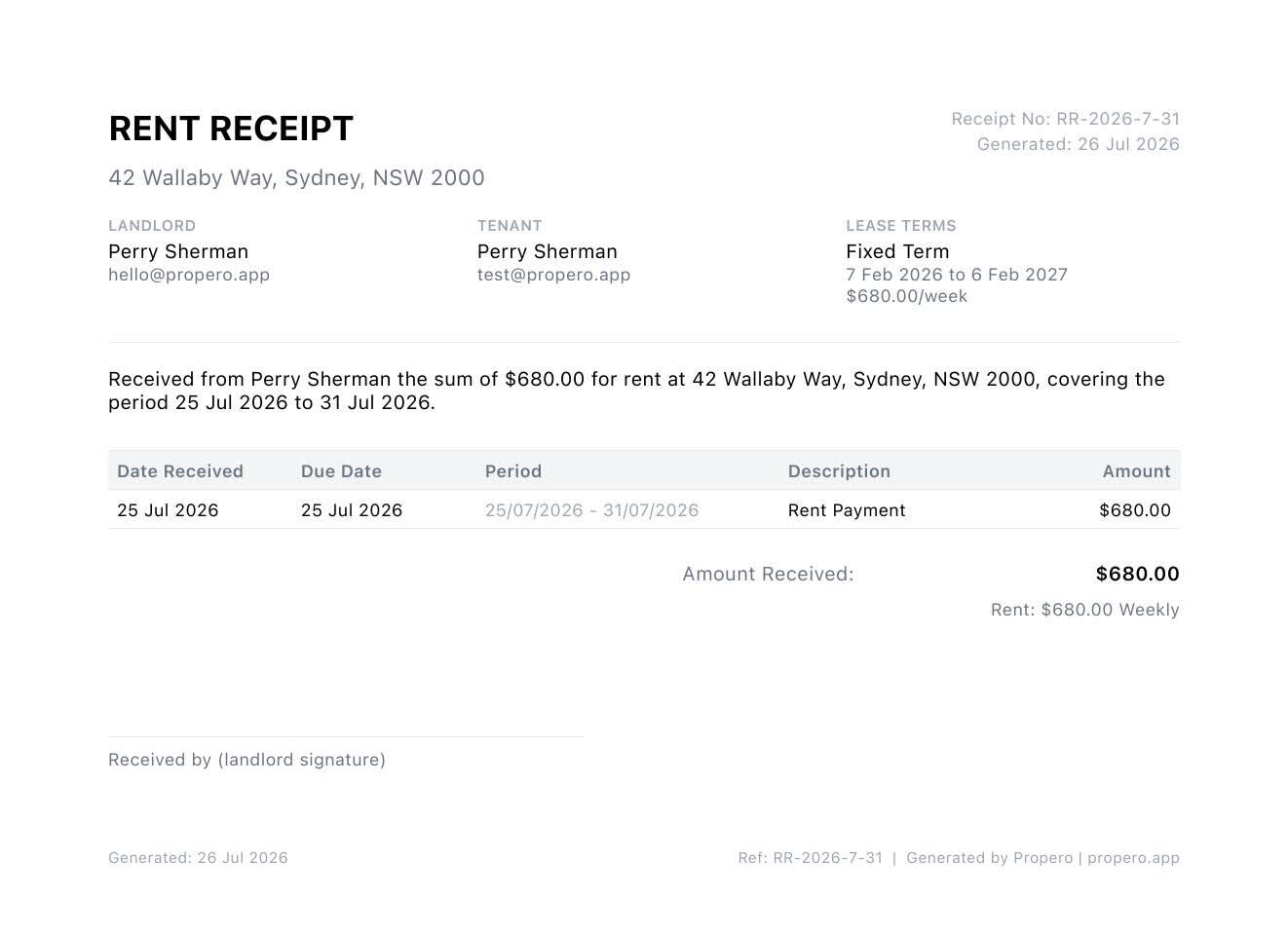
A generated receipt, with the empty middle of the page trimmed out.
What it does not include
- Payment method (Propero does not record how rent was paid)
- Bank account details
Queensland and the Northern Territory generally expect a signed receipt for cash payments. Propero always prints a signature line for this reason, on every receipt in every state.
Receipts are not Pro-gated.
Rental ledger
A server-generated PDF covering the full current tenancy up to today. There's no date range to pick, the ledger always spans the active lease to the present.
How to create it
- Payment Overview > Options > Create Rental Ledger, or
- Earnings tab > Records > Rent ledger
Either path opens a Create Ledger sheet summarising the tenancy period, payment count, total collected, and any arrears. Tap Generate & Share and Propero opens the PDF in an in-app preview. Share from there when you're ready.
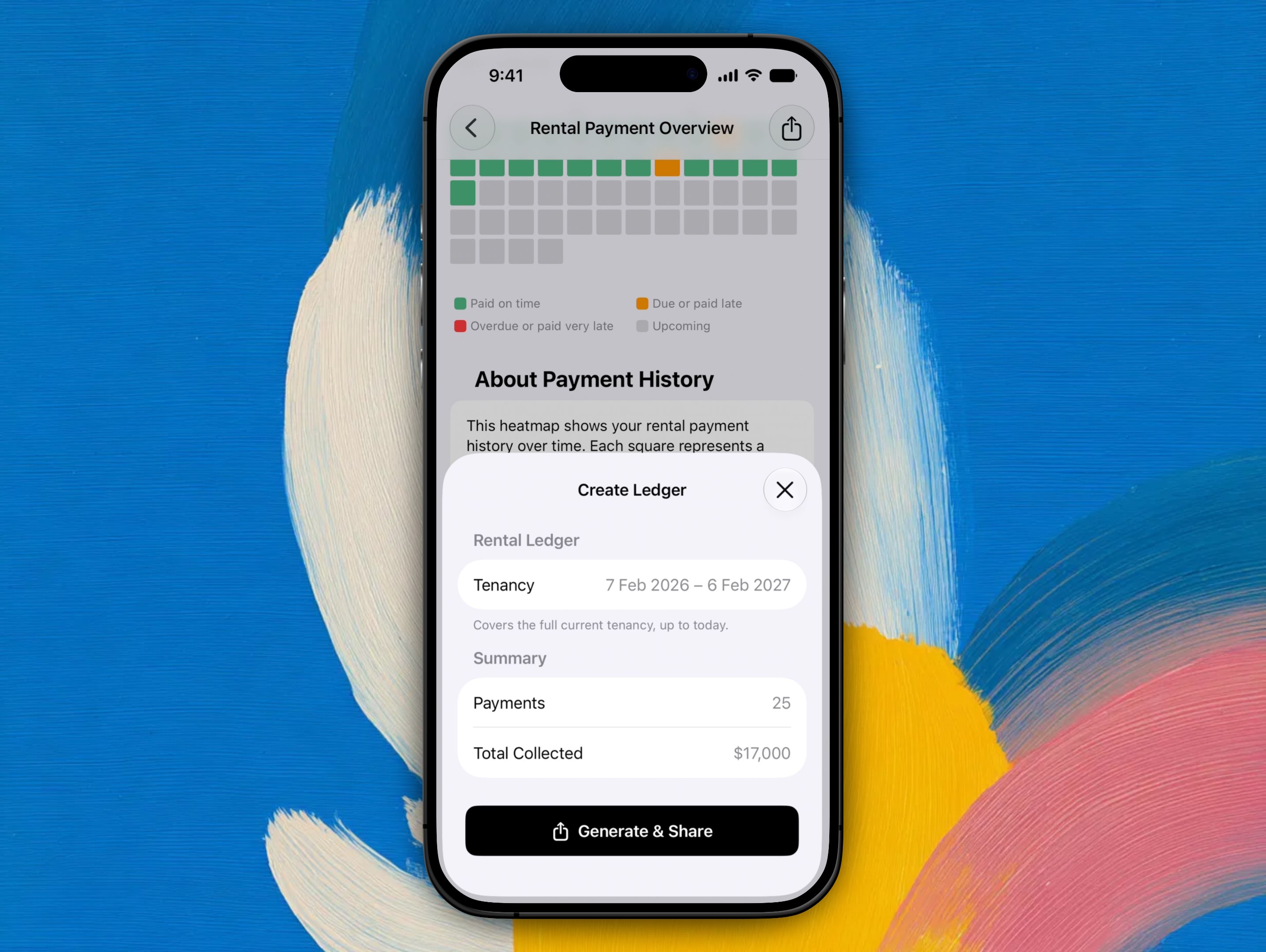
There's nothing to configure. The tenancy range is fixed, and the summary tells you what the ledger will cover before you generate it.
The ledger lists every debit and credit with a running balance, then closes with a Paid To date, Total Invoiced, Total Received, and either a Closing Balance (Advance) or a Closing Balance (Arrears), depending on where the tenancy sits. A final line restates the rent per week alongside its daily rate, which is what part-period amounts are worked out from.
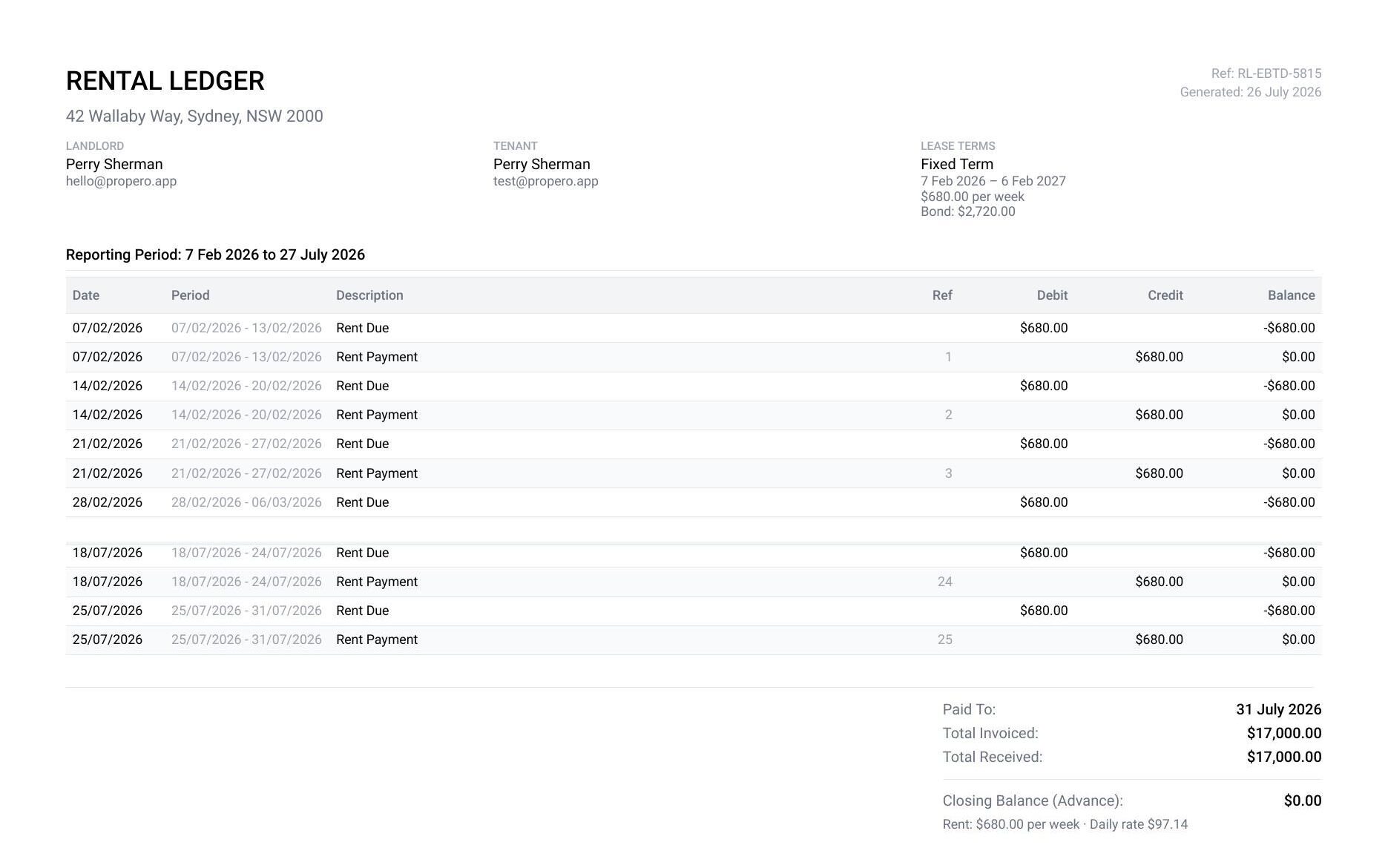
Every Rent Due debit is followed by its Rent Payment credit, so the running balance returns to zero on a tenancy that's up to date. Middle rows trimmed here: a six-month tenancy runs to three pages.
Ledgers are not Pro-gated.
Tax summary
A server-generated PDF for a date range you choose, capped at two years.
How to create it
- Payment Overview > Options > Generate Tax Summary, or
- Earnings tab > Records > Tax summary
Pick a preset (Financial Year, Previous FY, Year to Date, or Previous Calendar Year), or switch on Custom Date Range and set your own From and To dates.
Income (rent collected) minus expenses, maintenance invoices grouped under Repairs plus anything you've logged manually, is grouped by category into a Net Income figure. Tap Generate Tax Summary PDF and Propero opens the finished document in an in-app preview first. Every summary carries the disclaimer: "This document is for informational purposes only. Consult a tax professional for advice."
Tax summaries are not Pro-gated.
Related guides
Late rent & reminders
Rent turns Late after a one-day grace period and Overdue after that. Reminders go to you only, daily while overdue, updating at 9am Sydney time.
Maintenance & repairs
The Maintenance pulse card tracks open and resolved requests for a property. Propero is landlord-only, so you log every job and see it through.