

Late rent & reminders
Rent turns Late after a one-day grace period and Overdue after that. Reminders go to you only, daily while overdue, updating at 9am Sydney time.
Propero tracks rent status on Payment Overview and sends landlord-only notifications on an escalating schedule.
Tenants do not receive app notifications from Propero. Propero is a landlord-only app.
Grace period
Rent becomes Late one day after the due date (a one-day grace period). After that grace period it becomes Overdue.
Daily status update
Propero updates payment status once each day at 9am Sydney time. A status may not change the moment something happens in the app.
Where you'll see it
Late or overdue rent surfaces in a few places:
- Home screen: each property's card gets a status pill, worst issue wins, so a property only ever shows one. Rent within its grace period shares an orange Action needed pill with other things needing attention, like an expiring lease or urgent maintenance. Once rent passes the grace period, it becomes a dedicated red Rent overdue pill, which takes priority over anything else on that card.
- Property hub: the Rent pulse card's status line reads Rent running late or Rent overdue, alongside Due today, Next payment tomorrow, Next payment in [N] days, or All paid when nothing is owing.
- Payment Overview: the heatmap cell turns orange (late) or red (overdue), and opening the period shows the exact wording, for example "Late by 1 day" or "Overdue by 4 days". See Recording payments.
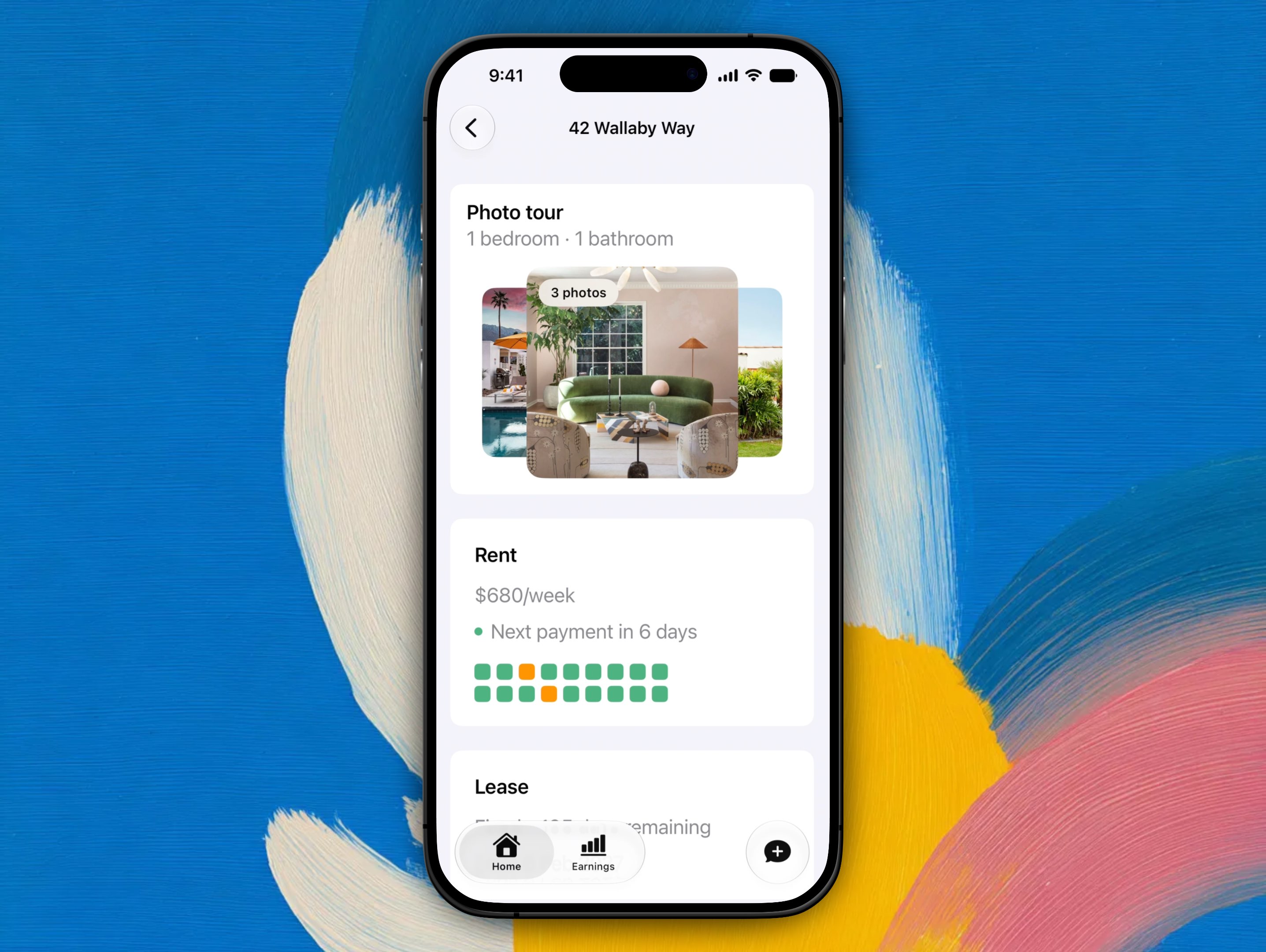
The Rent pulse card on the property hub, here in its healthy state. The status line under the rent amount is where Rent running late or Rent overdue appears, and the mini heatmap below it repeats the colours from Payment Overview.
Notification schedule
When notifications are enabled, Propero sends:
| Event | What you get |
|---|---|
| Due today | One notification |
| Late (day after due) | One notification |
| Overdue (from day 2 until paid) | One summary per property, once a day |
The overdue reminder is a summary, not one push per period. If a property has three periods outstanding you get a single notification: "Rent's overdue at 12 Smith St" / "$2,400 outstanding across 3 periods, oldest is 21 days." A property with one overdue period names the days instead: "Rent's 8 days overdue at 12 Smith St" / "$800 outstanding. Worth a chase."
The notified amount is the outstanding balance, not necessarily the full period rent.
Enable notifications
Propero asks for notification permission once you land on Home ("Know when rent's due"). There is no in-app screen to toggle individual notification types. Manage notifications in iOS Settings > Propero.
If reminders are not arriving, check that notifications are allowed for Propero in iOS Settings.
Inspection reminders
Separate from rent, Propero sends condition report inspection reminders (for example before move-in, routine inspections, and outgoing reports). Those follow a different schedule. See Property Health.
Record payment
When rent arrives, tap the period on Payment Overview and record it there. See Recording payments.
Recording payments
Tap a heatmap cell on Payment Overview to log the date and amount received, and see how partial payments, overpayments, and colours work.
Statements & receipts
Rent receipts with a signature line, the rental ledger, the tax summary, and the shareable payment overview card. None of them need Propero Pro.