

Privacy & your data
Where Propero stores your data, how to request account deletion, what is archived, the seven-year retention rule, and why your data never trains AI models.
Where your data lives
Propero stores your data securely in the cloud, not just on your phone. The app keeps an on-device cache so you can view recent data offline, and syncs any changes once you're back online.
Only the genuine Propero app, running on a real, untampered device, is allowed to read or write your data. Your subscription status is also verified on our end, not just on your phone, so it can't be spoofed by editing the app.
Tenant emails and forwards
Emails sent to your property's address, and any attachments, are stored against your account and readable only by you. Incoming mail is received and processed in Sydney; the raw message is kept by the mail relay for seven days and then deleted, with the copy in your account as the record. Propero's read of each email runs on the same Google service as Chat. Nothing is sent to a tenant until you tap send. See Propero Mail.
Legal documents
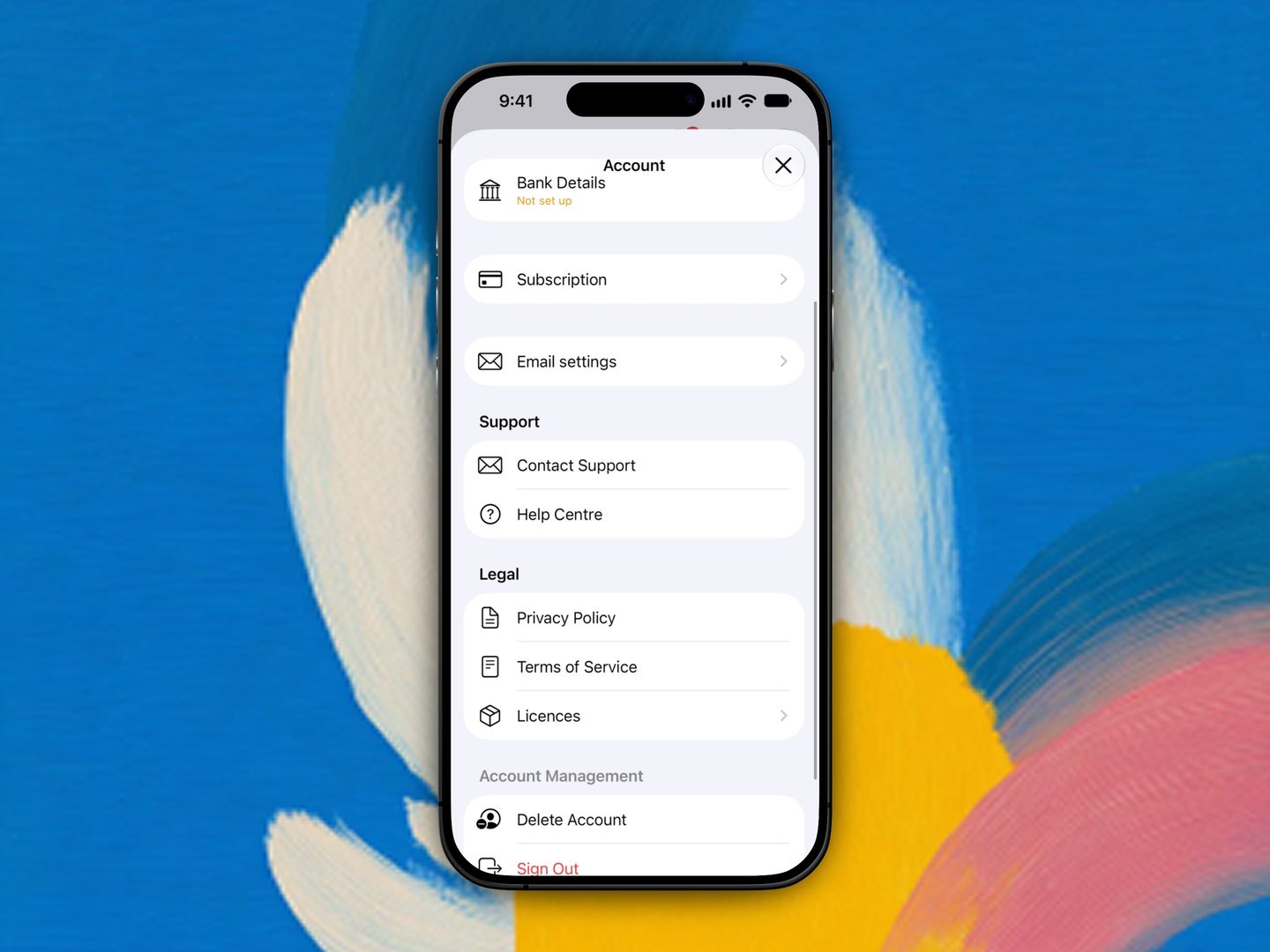
Find the Privacy Policy, Terms of Service, and Licences under Account > Legal. Licences lists the open-source packages Propero is built with, each with its licence text.
Account deletion
Go to Account > Delete Account > Request Account Deletion.
Before you confirm, the screen shows what you'll lose access to:
- Rental ledgers and payment tracking
- Tax summaries and financial reports
- Compliance reminders and inspection schedules
- AI insights and chat history
And what to do first: rental ledgers, payment history, and condition reports can be exported before you delete. Email support@propero.app and the team will help.
Deletion is a manual request, not something the app does on its own:
- You tap Request Account Deletion and confirm
- You're signed out immediately
- The request goes to the Propero team, who review it and permanently delete your account and eligible data
- The team confirms by email when deletion is complete
There is no instant delete button. Expect the team to process your request rather than the account vanishing the moment you tap confirm.
Deletion cannot be undone, so export anything you need first.
What is archived vs deleted
When the team processes a deletion request:
- Deleted: your account login, property and tenant contact details, chat history, notification preferences, and anything you could open in the app day to day
- Retained where the law requires it: some financial and compliance records may be kept for up to seven years for tax or regulatory reasons. You won't be able to access those retained records yourself after deletion
Removing a single property with history works the same way: contact support and the team handles it manually. An empty property with no records can be deleted from Home without contacting support. See Archiving a property.
Retention
Propero may retain some records for up to seven years where the law requires it, for tax or compliance reasons, even after your account is deleted. You won't be able to access those retained records yourself.
AI and training
Your data is not used to train AI models. See Using Propero Chat.
Related guides
Subscription & billing
Manage Propero Pro's monthly and yearly plans through Apple, restore purchases on a new iPhone, and see what Pro unlocks versus the free tier.
Help & support
Answers for Propero landlords: the FAQ, fixes for common problems, and how to reach the team. Open this Help Centre from Account inside the app.