

Create your account
Download Propero from the App Store, sign up with Apple, Google, or email, set your name and mobile, answer two quick questions, and meet your property's email address before the Pro paywall.
Propero is an iPhone app for Australian landlords who manage their own properties, built to do the things an agent would otherwise charge you for. Rent tracking, condition reports, maintenance, documents, advertising, tax summaries, and compliance all live in one app.
Rent goes straight from your tenant to your bank account. Propero never holds, transfers, or takes a cut of it, and your tenants don't need an account of their own.
Your first property is free. Additional properties and the Pro-only features need Propero Pro.
Download Propero
Open Propero in the App Store on your iPhone. Tap Get to download and install the app.
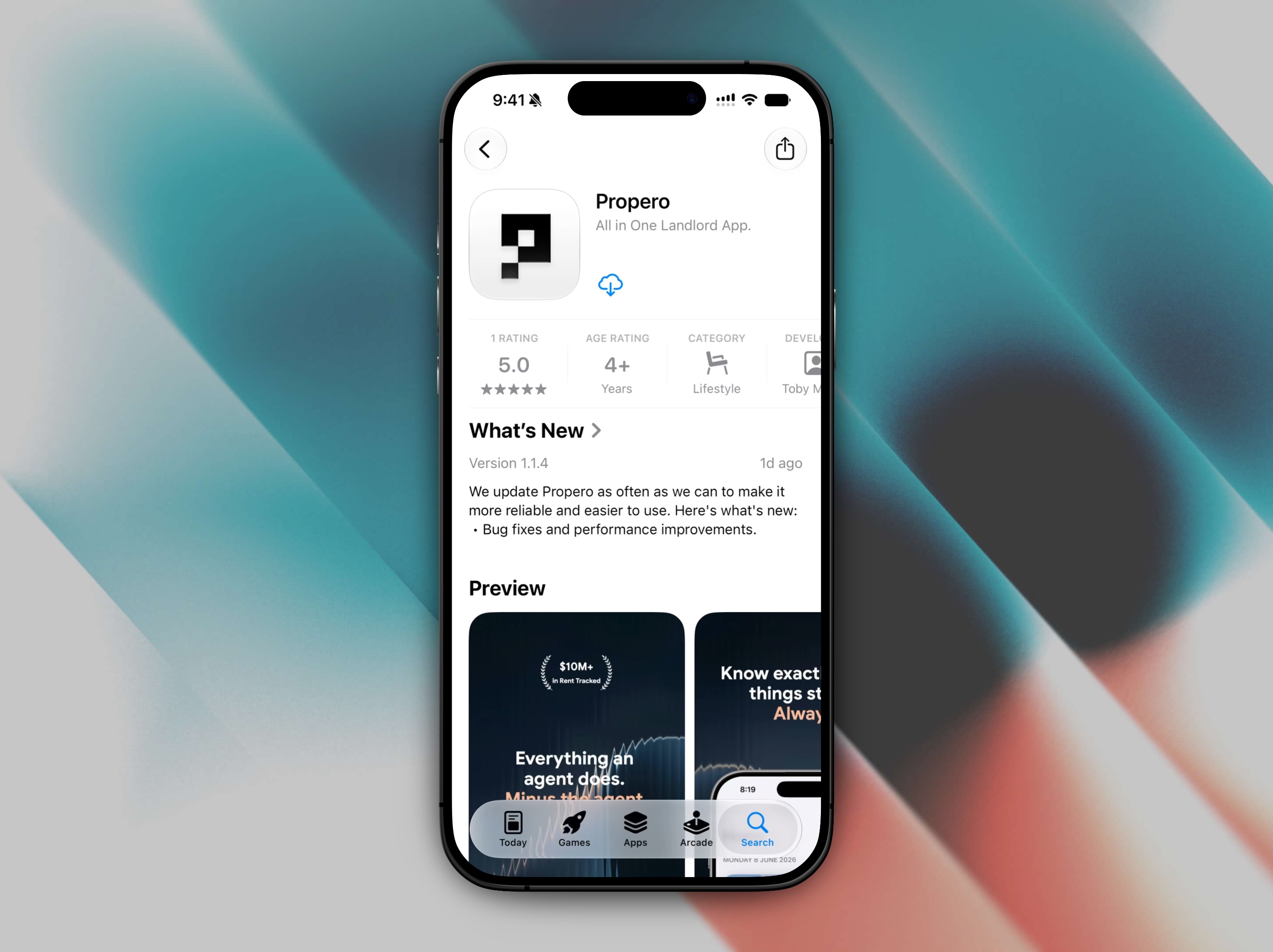
Once installed, tap Open or find the Propero icon on your home screen.
Create your account
The welcome screen plays a short looping reel behind a headline that builds word by word ("Your rental, your way." and four more), with the Propero mark top left. Choose how you want to continue: Continue with Apple, Continue with Google, or Continue with email. There's no separate "sign up" button: all three options create an account the first time you use them, and sign you straight in after that.
Continue with email
- Tap Continue with email.
- On the Log in or sign up screen, enter your email address and tap Continue.
- On the next screen, enter a password and tap Continue. Propero needs at least 8 characters, one uppercase letter, and one number, and shows a live checklist while you type.
This one screen handles both signing up and signing in: if the email already has an account, Propero signs you in instead of creating a new one, using the password you enter.
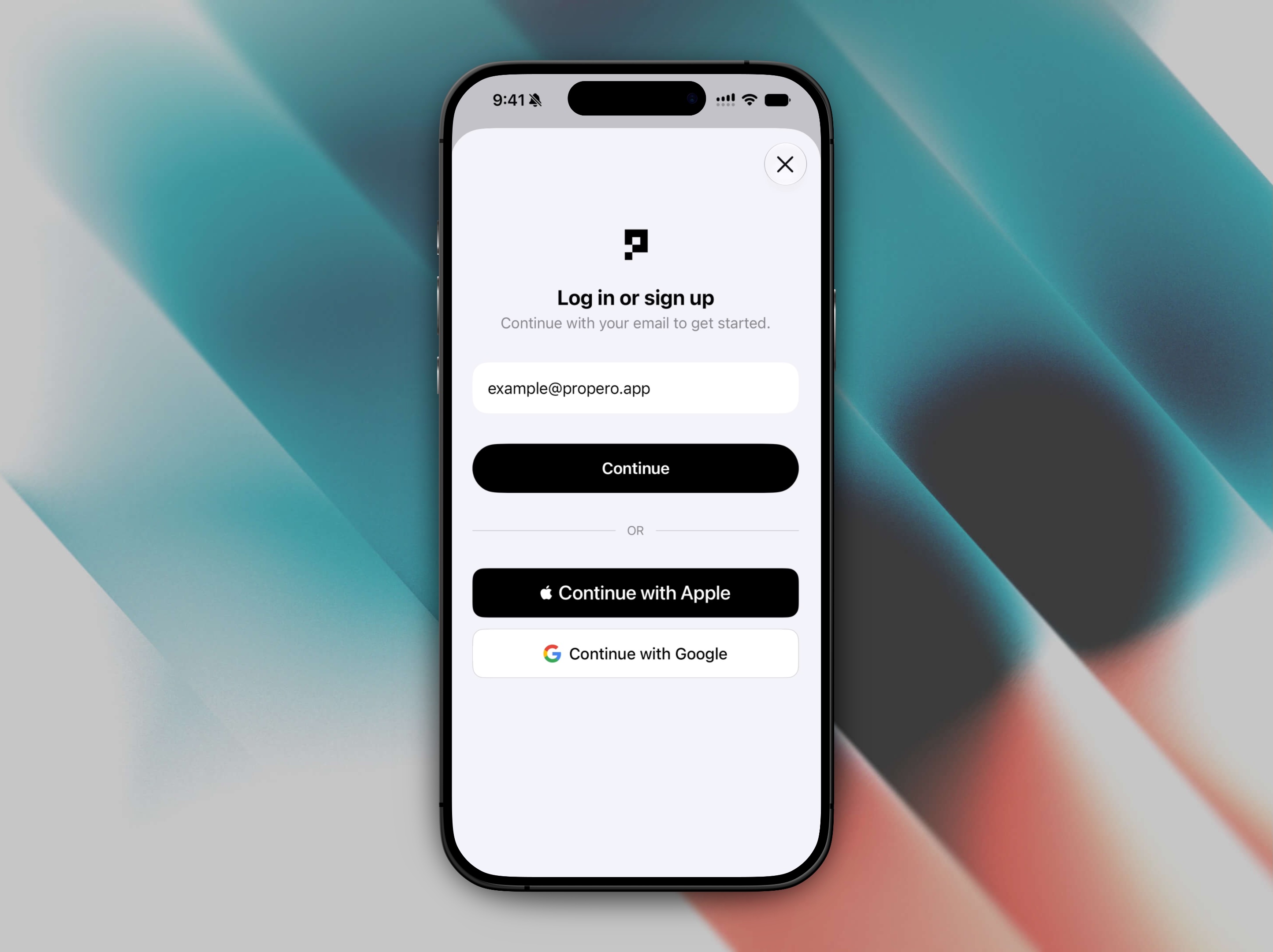
Continue with Apple
Tap Continue with Apple and authenticate with Face ID, Touch ID, or your Apple ID password. Apple creates your account automatically.
Apple can assign a private relay email address to your account instead of your real one. If you'd like this changed, contact support.
Continue with Google
Tap Continue with Google and sign in with your Google account.
Set up your profile
The first time you sign in, Propero asks a few quick questions before taking you into the app:
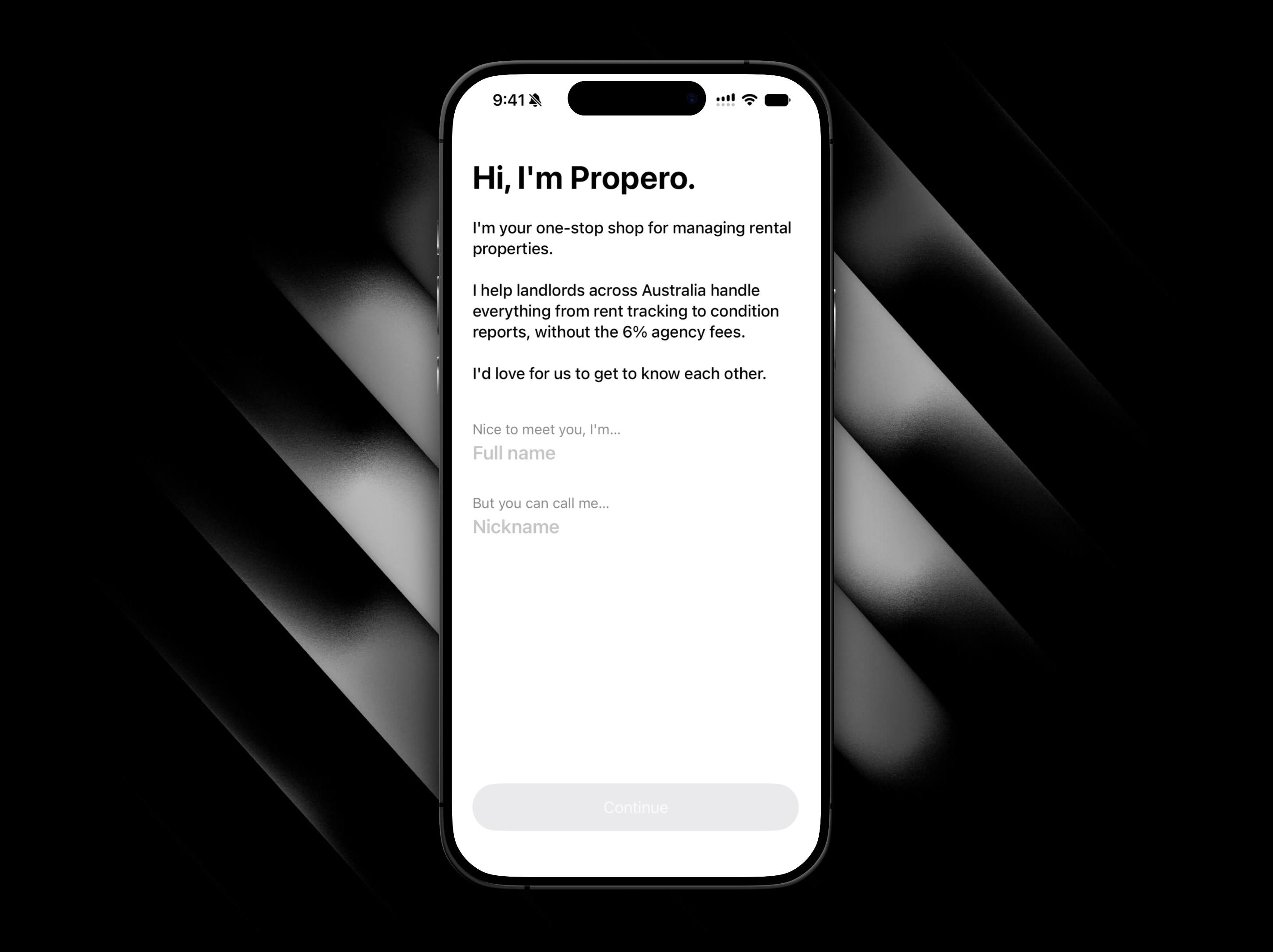
- Tell Propero your name: the screen opens "Hi, I'm Propero." and asks two things. My full name is… goes on your receipts and notices. But call me… is the name Propero uses when it greets you. It fills in from your first name automatically, and you can change it.
- Agree to the terms: the screen reads "One thing before we start." and shows an identity card confirming who you're signing up as. Tap Agree & continue to accept the Terms of Service and Privacy Policy.
- Enter your mobile number: the "What's your mobile?" screen takes an Australian mobile starting with 04, formatting it as you type. Tap I'll add this later to skip it.
| Field | Notes |
|---|---|
| Full name | Appears on rent receipts you generate (the LANDLORD column and signature line) |
| Nickname | What Propero calls you when it greets you in Chat. Set once at signup, and not editable afterwards |
| Mobile number | Optional at setup. Used for account recovery and property notices. Not shown on tenant-facing PDFs. |
Your name and phone number are not editable in the app after setup. To change them later, use Contact Support from the Account screen.
A few quick questions
With your account created, Propero asks two questions to set things up. Each is a single tap and each has Skip for now:
- What brings you to Propero? I already manage it myself, I'm leaving an agent, First time renting a place out, or Just having a look.
- How much of your week does the property take? Under an hour, One to three hours, Three to six hours, or More than six.
Then a Did you know? screen shows what self-managing keeps in your pocket. Drag the Weekly rent slider ($200 to $2,000) and the figure updates: at $650 a week, about $2,978 a year an agent would take, and $2,778 you keep after Propero Pro. The footnote spells out the assumptions (6% management, a week's letting fee, $125 renewal, $175 advertising). Tap Show me how.
Your property's email address
Next, Your property gets its own email address. introduces Propero Mail: every property gets an address like youraddress@inbox.propero.app, tenants can write to it, you can forward things to it, and Propero drafts the reply for you to send. It's a Pro feature, and this screen is just the introduction; the real address is set up later from the property. Tap Continue. See Propero Mail.
The Pro paywall
The last step is the Propero Pro paywall, headed Pro pays for itself with the savings figure from the slider. Yearly is preselected. Tap Subscribe to start, or Maybe later to go straight to Home. There's no free trial and nothing to cancel if you skip it. See Subscription & billing.
If you close the app partway through any of this, Propero picks up at the step you'd reached next time you open it.
Password reset
If you forget your password, tap Forgot password? on the password screen. Reset emails are sent from hello@mail.propero.app.
Propero confirms with a Reset link sent message, then the link is good to use. The button changes to Resend in 30s for half a minute so you don't fire off a stack of emails by accident.
Next steps
After the paywall, Propero drops you on Home, empty and waiting for your first property. Tap Add property whenever you're ready, or head straight to adding your first property for the full walkthrough.